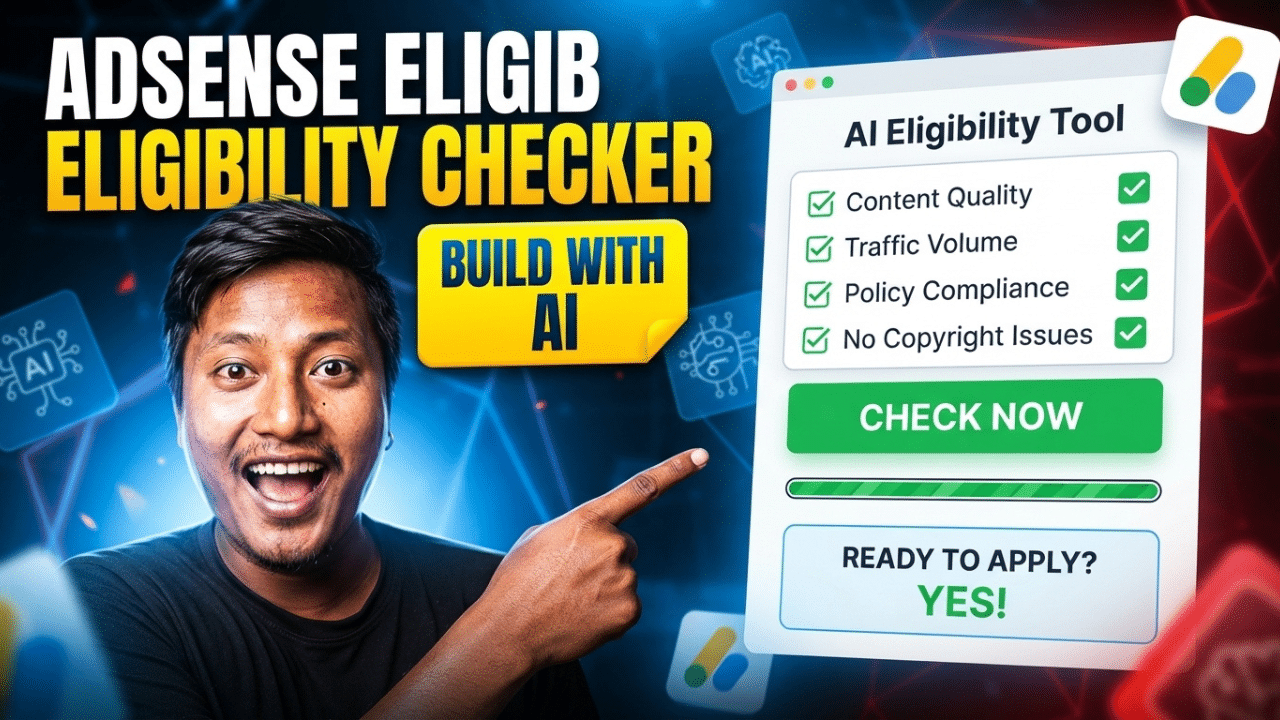

Create a modern, responsive, professional Google AdSense Eligibility Checker website/tool using only HTML5, CSS3, and vanilla JavaScript.
Do not use PHP, databases, APIs, backend services, API keys, or external dependencies.
The tool should be designed as an educational checklist and readiness assessment tool, not as an official Google AdSense approval checker. Clearly explain that no third-party tool can guarantee AdSense approval.
Main Goal
Build a professional AdSense Eligibility Checker that allows website owners and bloggers to answer questions about their website and receive a readiness score with practical recommendations.
The tool should evaluate factors commonly associated with a website being better prepared for AdSense, such as:
- Website age
- Original content
- Content quality
- Number of useful articles
- About page
- Contact page
- Privacy Policy
- Disclaimer
- Terms and Conditions
- Navigation
- Mobile responsiveness
- Website speed
- HTTPS
- User experience
- Copyright compliance
- Content policy compliance
- Traffic/source quality
- Domain ownership/control
- Website accessibility
- Sufficient site content
- Clear site structure
Do not present these factors as guaranteed or official Google requirements unless they are explicitly confirmed by Google.
Important Disclaimer
Place a prominent notice near the tool:
Important: This tool provides an educational estimate of website readiness based on the information you provide. It is not an official Google AdSense eligibility checker and cannot guarantee approval. Google makes the final decision based on its own policies, review process, and requirements.
Include a link to the official Google AdSense policies/resources using a placeholder URL that can be replaced later.
Website Design
Create a clean and modern tool-style interface with:
- White background
- Professional blue primary color
- Modern typography
- Card-based layout
- Rounded corners
- Subtle shadows
- Clean spacing
- Responsive design
- Professional form controls
- Progress indicator
- Score visualization
- Attractive CTA buttons
- Hover effects
- Smooth transitions
- Mobile-friendly design
- Accessible controls
The design should look like a professional SEO/website analysis tool.
Header
Create a sticky header containing:
- Website logo/name
- Home
- About Us
- How It Works
- Contact Us
- Privacy Policy
Add a mobile hamburger navigation.
Example logo:
AdSenseCheck
The logo/name should be easy to replace later.
Homepage
The homepage should contain the complete AdSense Eligibility Checker.
Hero Section
Create a professional hero section.
Heading
AdSense Eligibility Checker
Subheading
Check how prepared your website may be for Google AdSense with our simple readiness assessment.
Add supporting text:
Answer a few questions about your website and get an instant readiness score with actionable recommendations.
Primary button:
Check My Website
Secondary button:
How It Works
Checker Tool
Create a large professional checker card.
The tool should use multiple sections/questions rather than asking everything on one overwhelming form.
Use a multi-step interface.
Example:
Step 1 of 5
Display a progress bar.
Step 1 – Website Basics
Ask:
Do you own or control the website?
Options:
- Yes
- No
- Not sure
Is your website using HTTPS?
Options:
- Yes
- No
- Not sure
Is the website publicly accessible?
Options:
- Yes
- No
Is the website currently live?
Options:
- Yes
- No
Step 2 – Content
Ask:
Does your website contain original content?
Options:
- Yes
- Mostly
- No
- Not sure
Approximately how many useful original articles/pages does your website have?
Options:
- 0–5
- 6–15
- 16–30
- 31–50
- 50+
Is the content useful to visitors?
Options:
- Yes
- Mostly
- No
- Not sure
Does your website avoid copied or automatically reproduced content?
Options:
- Yes
- No
- Not sure
Does your website provide enough useful information for visitors?
Options:
- Yes
- Mostly
- No
Step 3 – Important Website Pages
Create checklist questions.
Does your website have an About Us page?
- Yes
- No
Does your website have a Contact page?
- Yes
- No
Does your website have a Privacy Policy?
- Yes
- No
Does your website have a Disclaimer?
- Yes
- No
Does your website have Terms and Conditions?
- Yes
- No
- Not applicable
Are these pages easily accessible from the website navigation/footer?
- Yes
- No
Step 4 – User Experience
Ask:
Is your website mobile-friendly?
- Yes
- No
- Not sure
Is your website easy to navigate?
- Yes
- Mostly
- No
Does your website load reasonably quickly?
- Yes
- No
- Not sure
Does your website have clear navigation?
- Yes
- No
Does your website avoid excessive intrusive pop-ups or interruptions?
- Yes
- No
- Not sure
Are advertisements or promotional elements, if any, kept from overwhelming the main content?
- Yes
- No
- Not applicable
Step 5 – Compliance & Traffic
Ask:
Does your website follow applicable Google publisher policies?
- Yes
- No
- Not sure
Does your website avoid prohibited or restricted content?
- Yes
- No
- Not sure
Do you have the necessary rights to publish your website’s text, images, videos, and other media?
- Yes
- No
- Not sure
Is your traffic obtained through legitimate sources?
- Yes
- Mostly
- No
- Not sure
Do you avoid artificial or deceptive traffic-generation methods?
- Yes
- No
- Not sure
Optional Website Information
Add an optional section where users can enter:
Website URL
Input: https://example.com
Do not actually scan or analyze the URL because the project must work without an API or backend.
Add helper text:
The URL is only used for your reference in this browser-based assessment and is not automatically reviewed by Google.
Optional fields:
- Website name
- Website niche/category
- Country
- Approximate website age
Scoring System
Create a transparent client-side scoring system.
Each answer should contribute points.
Example scoring:
Positive answers
- Strong positive: +10
- Positive: +8
- Moderate: +5
- Not sure: +2
- Negative: 0
The exact scoring system should be clearly defined in the JavaScript.
Calculate the total score dynamically.
Example maximum score:
100 points
Result Categories
After completing the assessment, display a professional results screen.
80–100
Excellent Readiness
Your answers indicate that your website appears well-prepared in many important areas.
Recommend:
- Review current Google policies
- Continue publishing useful content
- Maintain good user experience
- Ensure all website information is accurate
60–79
Good Readiness
Your website appears reasonably prepared, but there are some areas you should improve before applying.
Display specific recommendations based on the user’s answers.
40–59
Needs Improvement
Your website may need improvements in several important areas before you consider applying.
Show actionable recommendations.
0–39
More Preparation Recommended
Your answers suggest that your website needs significant improvements before it may be ready for an AdSense application.
Show the most important areas to address.
Score Visualization
Create an attractive score display.
Example:
72 / 100
Use:
- Circular progress indicator OR
- Horizontal progress bar
Also display:
Readiness Score
The score should animate smoothly when the result appears.
Do not imply that the score represents an official Google score.
Personalized Recommendations
This is an important feature.
Based on the user’s answers, dynamically generate recommendations.
Examples:
If Privacy Policy = No:
Create a clear Privacy Policy page and make it easy to find from your site’s navigation or footer.
If About Us = No:
Consider adding an About Us page so visitors can understand who operates the website.
If Contact Page = No:
Add a clear way for visitors to contact the website owner.
If mobile-friendly = No:
Improve your website’s mobile experience and test navigation on different screen sizes.
If original content = No:
Review your content and focus on original, useful information that provides value to visitors.
If copyright rights = No:
Review your images, text, videos, and other media to ensure you have appropriate rights to use them.
If traffic quality = No:
Review your traffic sources and avoid artificial, deceptive, or incentivized traffic practices that violate applicable policies.
Only show recommendations relevant to the user’s answers.
Results Breakdown
After showing the main score, display categories:
Content
Example:
85%
Website Pages
Example:
70%
User Experience
Example:
90%
Compliance
Example:
75%
Website Basics
Example:
100%
Display each category as a progress bar.
Missing Items Section
Add:
Areas to Improve
Display a list of issues detected from the user’s answers.
Example:
❌ Privacy Policy
❌ Mobile Optimization
❌ Original Content
❌ Clear Navigation
Then:
Strong Areas
Display positive items.
Example:
✓ HTTPS enabled
✓ Contact page available
✓ Original content
✓ Mobile-friendly
Buttons on Results Page
Include:
Check Again
Resets the assessment.
Print Results
Uses the browser’s print functionality.
Start New Check
Clears all answers and starts from Step 1.
Optional:
Copy Results
Copies a simple text summary to the clipboard.
No Backend
The entire checker must work locally in the browser.
Do not:
- Send user answers to a server
- Store personal information
- Require login
- Require an API
- Require an API key
- Use a database
Use JavaScript to calculate everything.
Local Storage
Optionally use localStorage to save progress.
If implemented:
- Save answers locally
- Allow users to continue later
- Provide a “Clear Saved Data” option
Clearly explain that saved assessment answers are stored locally in the user’s browser.
Do not store unnecessary personal information.
How It Works Section
Create a 3-step explanation:
1. Answer Questions
Tell us about your website.
2. Get Your Score
Our browser-based tool evaluates your answers.
3. Improve Your Website
Follow the recommendations before applying.
Include a clear disclaimer that this is an educational assessment, not an official Google review.
Features Section
Create four feature cards.
Instant Results
Get your assessment results immediately.
Client-Side
The assessment runs directly in your browser.
Personalized Tips
Receive recommendations based on your answers.
Free to Use
No account or subscription required.
About Us Page
Create a professional About Us page explaining:
- Purpose of the tool
- Who the tool is designed for
- How the readiness assessment works
- Importance of following official publisher policies
- Why the tool cannot guarantee approval
Do not claim affiliation with Google unless the website actually has such authorization.
Contact Us Page
Do NOT create a contact form.
Create a professional contact-information section.
Get in Touch
If you have questions, suggestions, feedback, or business inquiries, feel free to contact us by email.
Email: [email protected]
Use a placeholder email address that can easily be replaced.
Privacy Policy
Create a professional Privacy Policy covering:
- Information entered into the checker
- Website URL field
- Browser-based processing
- Local storage, if used
- Cookies
- Analytics, if used
- Advertising, if used
- Third-party services
- Server logs
- Data security
- Children’s privacy
- User rights
- Policy updates
- Contact information
Do not make false claims.
Clearly explain what is actually processed locally and what may be collected by hosting or third-party services if they are installed.
Disclaimer
Create a detailed disclaimer.
Clearly state:
This tool is not affiliated with, endorsed by, or officially connected with Google or Google AdSense unless explicitly stated otherwise.
Explain that:
- The score is only an educational estimate
- Google makes the final eligibility/approval decision
- Policies can change
- Requirements can depend on circumstances and location
- Passing this assessment does not guarantee approval
- Failing the assessment does not necessarily mean a website cannot qualify
- Users should consult official Google resources for current requirements
Terms and Conditions
Include:
- Acceptance of terms
- Website usage
- Tool limitations
- Educational nature of the checker
- User responsibility
- Acceptable use
- Intellectual property
- Service availability
- Limitation of liability
- Changes to the tool
- Changes to the terms
- Contact information
SEO Requirements
Create SEO-friendly metadata for every page.
Homepage
Title:
AdSense Eligibility Checker – Check Your Website Readiness
Meta description:
Use our free AdSense Eligibility Checker to assess your website’s readiness and get personalized recommendations. Educational tool, not an official Google checker.
About
About Us | AdSense Eligibility Checker
Contact
Contact Us | AdSense Eligibility Checker
Privacy
Privacy Policy | AdSense Eligibility Checker
Disclaimer
Disclaimer | AdSense Eligibility Checker
Terms
Terms and Conditions | AdSense Eligibility Checker
Use:
- One
<h1>per page - Semantic HTML5
- Descriptive headings
- Internal links
- Descriptive anchor text
- Mobile-friendly markup
File Structure
Organize files cleanly:
index.html
about.html
contact.html
privacy-policy.html
disclaimer.html
terms.html
style.css
script.js
Technical Requirements
Use only:
- HTML5
- CSS3
- Vanilla JavaScript
Do NOT use:
- PHP
- MySQL
- Database
- Backend
- API
- API key
- React
- Vue
- Angular
- jQuery
- Bootstrap
- External SaaS services
The tool must work on static hosting.
Accessibility
Follow accessibility best practices.
Include:
- Proper
<label>elements - Semantic HTML
- Keyboard navigation
- Visible focus states
- Accessible buttons
- ARIA attributes where useful
- Accessible progress bar
- Screen-reader-friendly result messages
- Good color contrast
- Do not rely only on color to communicate results
Responsive Design
The website must work perfectly on:
- Desktop
- Laptop
- Tablet
- Mobile
On mobile:
- Stack cards vertically
- Make form controls touch-friendly
- Make buttons easy to tap
- Keep progress indicators readable
- Prevent horizontal scrolling
- Make the multi-step checker comfortable to use
Performance
Keep the website lightweight.
Avoid:
- Large libraries
- Unnecessary JavaScript
- External dependencies
- Heavy animations
- Unnecessary network requests
All scoring and assessment logic should execute instantly in the browser.
Final Goal
Build a professional, modern, responsive, SEO-friendly AdSense Eligibility Checker Tool that helps bloggers and website owners understand which areas of their website may need improvement.
The final website should feel:
Professional + Trustworthy + Simple + Fast + SEO-Friendly + Mobile-Friendly
Most importantly, the tool must be presented as a readiness assessment, not an official Google AdSense approval or eligibility checker.
The final website must work entirely on static hosting with:
No PHP + No Database + No Backend + No API + No API Key.